Skip to main content

The Ultimate Excel VBA Course
$99
Add to Cart
You don't have access to this course, but you can purchase it below.
The Ultimate Excel VBA Course
- 198 Lessons
Full VBA Certification Program with 9+ Hours of Video Training
Start writing VBA code that you can immediately use on the job. No programming experience needed to take this VBA course!
$99
Add to Cart

Why You Should Take This Course
What You Will Learn
- Write macros from scratch
- Write custom formulas & functions on the fly
- Breeze through IF THEN statements and conquer all the logical operators
- Take control of forms, buttons, drop-downs and much more!
For finance professionals, speed in Excel is not only a requirement, it's a big part of how you're measured against your peers.
This comprehensive course is designed to teach students and professionals how to save a ton of time in Excel with the easy-to-use VBA programming language.
We'll introduce you VBA environment and dive into real-world exercises that will teach you how to write your own macros, functions and subroutines and how to breeze through large data sets with ease!
This course is used to train new hires at:





Who is This Program For?
This course is for Excel VBA newbies as well as those looking for a VBA refresher or reference tool. It's designed to give a competitive edge to students and/or professionals who rely on Excel, including:
- Investment banking analysts and associates
- Private equity, asset management and hedge fund associates
- Corporate finance and business development professionals
- MBA students and business undergraduates
Course Highlights
Course Samples
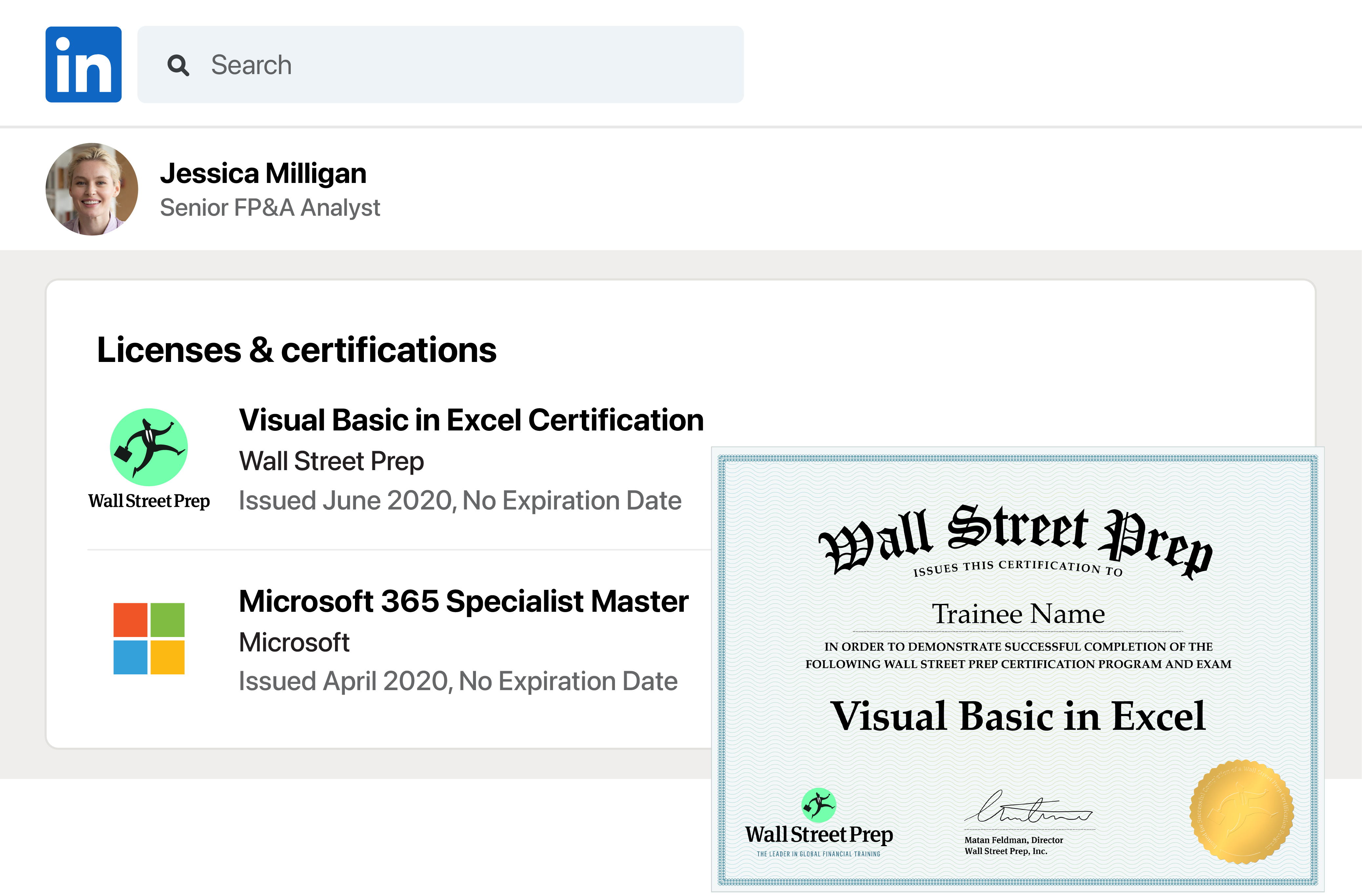
Get the Visual Basic in Excel Certification
Trainees are eligible to take the WSP Visual Basic in Excel Certification Exam for 24 months from the date of enrollment. Those who complete the exam and score above 70% will receive the certification. The exam is a challenging online examination covering the most difficult concepts covered in The Ultimate Excel VBA Course.
Course TOC
1. Get the Developer Tab and Intro to Developer Tab
Video, 1:29
2. Course Downloads
Files
3. Getting Started With Range Object
Video, 1:19
4. Quick Tip - Project Explorer and Properties Window!
Video, 1:12
5. Creating Your First Macro From Scratch
Video, 2:29
6. Adding a Secondary Command
Video, 0:51
7. Debugging in Excel VBA
Video, 1:22
8. Saving a Macro-Enabled Workbook (.xlsm)
Video, 1:11
9. Before You Begin The Exercises
Video, 3:06
10. Exercise 01
Video, 3:53
11. Several Ways to Trigger Your Macro
Video, 1:22
12. Affecting Multiple Cells with One Range Command - 2 Methods
Video, 1:35
13. Adding Strings of Text to a Cell
Video, 1:40
14. Using a Named Range with the Range Object
Video, 1:37
15. VALUE Property
Video, 1:54
16. TEXT Property
Video, 0:59
17. ROW and COLUMN Properties
Video, 1:07
18. SELECT Property
Video, 0:55
19. COUNT Property
Video, 1:47
20. Exercise 02a
Video, 4:32
21. ADDRESS Property
Video, 1:48
22. FORMULA Property
Video, 3:47
23. NUMBERFORMAT Property
Video, 2:27
24. FONT, BOLD, UNDERLINE or ITALIC Properties
Video, 2:43
25. Exercise 02b
Video, 6:36
26. The Cells Object
Video, 2:24
27. Using Column Letters Instead of Numbers
Video, 0:55
28. Using Cells Positionally Within a Range
Video, 2:10
29. Affecting ALL Cells in a Worksheet
Video, 2:05
30. Exercise 03
Video, 4:12
31. Using Range Object with Cells Object
Video, 3:01
32. Intro to Variables
Video, 2:24
33. Declaring Variables - Variable Types
Video, 2:37
34. Declaring Variables - Types Demo
Video, 4:24
35. Concatenation - Joining Two Or More Strings!
Video, 2:26
36. BONUS - Date Math Fun!
Video, 3:41
37. Exercise 04
Video, 4:16
38. Calling a Procedure from Another
Video, 1:57
39. Public and Private Variables
Video, 3:06
40. Using Constants
Video, 2:02
41. BONUS - Passing Variables to Another Procedure - ByVal and ByRef
Video, 7:05
42. File Menu Walkthrough
Video, 1:52
43. Edit Menu Walkthrough
Video, 5:08
44. View Menu Walkthrough
Video, 2:12
45. View Menu - Watch Window, Local Window and Immediate WIndow
Video, 7:43
46. Watch Window Wonders!
Video, 3:25
47. Insert and Format Menus
Video, 0:40
48. Debug Menu
Video, 5:12
49. Run and Tools Menus
Video, 2:13
50. Determining the Last Row in your Data Set
Video, 3:17
51. Determining the Last Column in your Data Set
Video, 2:22
52. Determining the Next Row in your Data Set
Video, 1:06
53. Recording a Macro
Video, 3:39
54. BONUS - Dynamic Sorting
Video, 5:55
55. Absolute vs. Relative References
Video, 4:07
56. Using With and End WIth
Video, 3:32
57. Comparison Operators in Excel VBA
Video, 1:01
58. If Then Statement
Video, 2:25
59. Using Is Not Equal To ()
Video, 0:41
60. Logical Operator, NOT
Video, 0:56
61. Exercise 06a
Video, 4:42
62. If, Then, Else Statement
Video, 1:22
63. If, Then, ElseIF Statement
Video, 2:02
64. Comparative Operators with Text and Numbers
Video, 2:35
65. Using If Then Statements in a One-Liner of Code
Video, 1:42
66. Using GOTO and Labels
Video, 1:52
67. Select Case as Alternative to IF THEN Statements
Video, 2:21
68. Message Box with Yes and No Buttons
Video, 6:26
69. Exercise 06b
Video, 6:33
70. Relative Positioning Using Offset
Video, 4:13
71. BONUS - User Defined Functions 101
Video, 4:49
72. BONUS - UDF Lesson 2
Video, 4:08
73. Intro to Loops; the For Next Loop
Video, 3:07
74. Fun with out For Next Loop
Video, 3:46
75. Beginning out First Report Using Loops
Video, 5:46
76. Using an InputBox
Video, 2:53
77. Adding InputBox to Our First Report to Make It Dynamic
Video, 3:12
78. Add a Button to Open Our Report
Video, 2:23
79. Add a Cool Button or Image to Open Report
Video, 2:19
80. Our First Printable Report, Part 1
Video, 5:00
81. Printable Report, Part 2
Video, 6:41
82. Printable Report, Part 3
Video, 3:19
83. Printable Report, Part 4
Video, 3:34
84. Exercise 07a
Video, 11:18
85. Using PrintPreview Automatically
Video, 0:50
86. Using PrintOut to Send Directly to Default Printer
Video, 1:59
87. Handling Debug Error When Cancelling InputBox
Video, 2:18
88. For Loop Going Backwards Using STEP
Video, 2:49
89. The FOR EACH Loop
Video, 5:17
90. FOR EACH Loop - Practice Examples
Video, 3:30
91. Exercise 07b
Video, 7:33
92. Intro to DO LOOPS
Video, 3:26
93. DO Until
Video, 1:53
94. Loop Until
Video, 1:31
95. DO While
Video, 1:43
96. Loop While
Video, 0:58
97. EXIT DO - Multiple Exits Using Your Own Criteria Along the Way!
Video, 1:48
98. BONUS - Loop Through Multiple Files in a Folder and Scrape Data From Each
Video, 12:09
99. Intro to Worksheet Events and Selection Change
Video, 4:03
100. Worksheet Activate Event
Video, 1:13
101. Worksheet Deactivate Event
Video, 2:28
102. BeforeDelete Event - For Worksheet Deletion
Video, 1:05
103. BeforeDoubleClick Event - Trigger a Macro When Double Clicking
Video, 2:59
104. BeforeRightClick Event - Trigger a Macro When Right-Clicking
Video, 1:42
105. Calculate Event
Video, 2:33
106. Exercise 08a
Video, 2:09
107. How to Disable Events on the Workbook
Video, 1:32
108. Intro to Change Event
Video, 1:14
109. Change Event with EnableEvents Toggle - Avoid Endless Loop!
Video, 4:51
110. Change Event Triggered With Custom Range Using Intersect
Video, 3:19
111. FollowHyperlinks Event
Video, 2:41
112. Final Thoughts on Worksheet Events and Review Other Events
Video, 2:25
113. Exercise 08b
Video, 5:42
114. Workbook Open
Video, 5:13
115. Workbook Activate
Video, 1:53
116. Before Save
Video, 2:25
117. After Save
Video, 2:13
118. Before Close
Video, 3:32
119. Before Print
Video, 1:21
120. Deactivate
Video, 1:06
121. NewChart
Video, 3:13
122. NewSheet
Video, 1:51
123. Exercise 09
Video, 4:36
124. Sheet Activate
Video, 2:19
125. Delete, DoubleClick, RightClick, Calculate, Change
Video, 4:51
126. SheetDeactivate
Video, 2:49
127. Follow Hyperlink
Video, 0:44
128. SheetSelectionChange
Video, 0:42
129. WindowActivate
Video, 1:09
130. WindowDeactivate
Video, 0:25
131. WindowResize
Video, 2:03
132. Activex Controls vs. Forms Controls
Video, 3:36
133. Button Click - Wage Calculator
Video, 4:10
134. Keydown Event
Video, 4:18
135. BONUS: Capturing Shift, Alt, Ctrl or Some Combination Using the Shift Variable
Video, 3:19
136. KeyPress Event
Video, 2:53
137. MouseMove Event
Video, 2:08
138. MouseMove Event with Application Statusbar
Video, 3:44
139. MouseUp and MouseDown Events - Left, Middle, & Rightclick, Shift, Alt & Ctrl
Video, 6:27
140. GotFocus and LostFocus Events
Video, 1:09
141. Use a Checkbox for its VALUE
Video, 2:41
142. Checkbox Event Without a Button
Video, 1:58
143. LinkedCell Property With a Checkbox
Video, 1:59
144. Option Buttons Intro - What is an Option Button and Grouping
Video, 3:08
145. Grouping, Alignment and Aesthetics for Control
Video, 2:45
146. Homemade Quiz Using Option Buttons and a Command Button
Video, 4:37
147. Compliance Checker for Your Forms or Quizzes, Part 1
Video, 3:36
148. Compliance Check, Part 2
Video, 9:49
149. SpinButton With Cell A1
Video, 4:21
150. SpinButtons With Textboxes and Numbers
Video, 6:04
151. SpinButton BONUS - Move Textbox Position with SpinButton
Video, 3:55
152. SpinButton With Dates in a Textbox
Video, 3:31
153. Activex "Label" Control - Basics
Video, 3:50
154. ComboBox - Fill With ListFillRange
Video, 3:33
155. Creating a Dynamic Range
Video, 4:47
156. ComboBox - How To Use Multiple Columns
Video, 3:09
157. Using ADDITEM to Get Specific Items in Your ComboBox List
Video, 9:25
158. Noteworthy Properties of a ComboBox
Video, 5:37
159. Multiple Columns in ComboBox With ADDITEM and List, ListCount, etc.
Video, 7:16
160. ListBox Basics Using Dynamic Range
Video, 7:47
161. ListBox Click Event and Dynamic Options
Video, 3:26
162. BONUS - Manipulating and Using Multiselect Items in a Listbox
Video, 6:04
163. ListBox - Referencing Column 0 and 1 in a Cell Dynamically
Video, 3:32
164. Dynamic ListBoxes Using ADDITEM and More
Video, 9:36
165. Make and Utilize INVISIBLE Columns - Special Trick!
Video, 3:35
166. Using Scroll Bar on a Worksheet
Video, 3:29
167. Pictures on a Worksheet, Plus Using FollowHyperlink Method
Video, 5:52
168. Toggle Button
Video, 2:24
169. A Brief Note on Alternate, 3rd Party Controls
Video, 1:33
170. Userform - Hide, Show and Unload
Video, 3:19
171. Simple Database and Creating a Data Entry Form
Video, 3:55
172. Fill Status ComboBox With Rowsource When Userform Starts - 2 Methods
Video, 4:03
173. New Employee Data Entry Form
Video, 9:04
174. Format Textbox Numbers as Numerals, Clearing Out Form Upon Submission
Video, 3:13
175. Set the Tab Order for Userform Controls
Video, 2:10
176. Set Default Values to Make Data Entry Easier
Video, 2:18
177. Avoid Duplicate Employee ID and Other Fun Automation Tricks
Video, 5:37
178. Edit Mode for Employee Database, Part 1
Video, 11:26
179. Edit Mode for Employee Database, Part 2
Video, 7:49
180. Edit Mode, Part 3 - Adding Automation and Save Button
Video, 15:56
181. BONUS - Refreshing the Rowsource After Updating Data
Video, 3:55
182. BONUS - Combobox by Last Name Instead of EmpID
Video, 9:41
183. BONUS - Search Name and ID
Video, 15:49
184. Userform Report with Filters, Part 1
Video, 11:09
185. Userform Report with Filters, Part 2
Video, 6:03
186. Applying the Dynamic Filters to Reports
Video, 3:10
187. Clear Out Last Report
Video, 3:06
188. Report Generation and Aesthetics, Headers, Footers, Footers, Repeat Rows, etc.
Video, 6:05
189. Advanced Exercise - Review of Objectives
Video, 8:04
190. Advanced Exercise 01 - Solution
Video, 7:57
191. Advanced Exercise 02 - Solution
Video, 4:10
192. Advanced Exercise 03 and 04 - Solutions
Video, 7:44
193. Advanced Exercise BONUS A and B - Solutions
Video, 3:41
194. Advanced Exercise BONUS C Automate the Workflow for Efficiency - Solutions
Video, 3:21
195. InStr Function - Search for Text Within Other Text
Video, 7:18
196. The EVALUATE Function - Mac-Daddy of all functions
Video, 5:59
197. Sum Function in Excel VBA - EASY!
Video, 3:14
198. Count Function in VBA
Video, 2:13
What Trainees Are Saying
I love this course. Extremely easy to follow along. If you are looking to learn more about Excel this is it!
— Jim C.
Loving this course! The information is presented quite clear and concise, and it is a really great way of learning VB really fast, yesterday I was a total ignorant of the subject. Today I programmed my first macro and cannot wait to learn more.
— Marcela T.
I had experimented with VBA previously, but I really feel like this course is exactly what I needed to take my Excel knowledge to the next level. In only 2 weeks I’ve improved my reporting exponentially and it’s all thanks to this course!
— Ryan S.
The presenter explains in detail and demonstrates what he’s covering, easy to follow along and learn!
— David B.
Teaches you the fundamental of VBA programming without any prior experience. Shows with easy to follow Example!. thanks for the video!
– Sean C.
I’ve taken several different VBA courses and this one is by far the most interesting and easy to understand. I’ve done exactly 107 lectures so far and already was able to automate 80% of my tasks at work that I’ve been doing manually for years… I’m angry with myself because of the time I wasted by not buying this course earlier. I can’t even imagine what I will be able to do after finishing the entire course :)
— Robert
Well explained, easy to understand lectures. Enjoyable and informative videos.
— Marlena
Very clear explanations broken down in short videos. The instructor goes at a slow pace that is easy to follow and understand, even for people with no programming experience.
— Gustavo P.
Best course on VBA ever taken. Thanks a lot!
— Nikita L.
This is an excellent course!!! There’s a lot of good, useful stuff here. The examples are practical and real-world!
— Todd W.
Wow, I thought I knew a little bit about Excel but clearly I had only seen the tip of the iceberg. This course has opened my eyes to the true power of VBA within excel. Great course, fantastic instructor.
— Scott K.
By large and far, one of the best step by step guide to VBA programming I have ever seen. I have been playing around with VBA for over a year now, have watched countless videos and have read numerous articles and "How-to” guides, but I have never seen something this complete, this throughout. I am amazed at how little I actually new about the VBA world. Thanks a million!
— Alex B.
Everything I have been looking for, you would have to buy multiple books for this level of instruction!
— Luke S.
Excellent VBA basic to advance tutorial.
— Sandeep G.
This course is good for beginners and for experienced programmers. Experienced programmers may want to skip through some sections on basics, but it is good to see how the basics work in the context of and Excel worksheet. He goes over different events and triggers (like buttons) to execute code. This is a really good course if you plan to do some pretty complex vba code with forms and reports.”
— Christian H.
Very helpful if you do any type of data analysis.
— Jonathan D.
I think this is an excellent gateway to the tools we need to use going forward. I like the hands on nature.
— Andre C.
Much better than other classes and seminars. Great course.
— Mark S.
The instructor made VBA easy and straight forward to use.
— Min Z.
Very thorough and practical.
— Juan S.
Learner Feedback

Earn CPE Credits with WSP Online Courses
Wall Street Prep is registered with the National Association of State Boards of Accountancy (NASBA) as a sponsor of continuing professional education on the National Registry of CPE Sponsors. State boards of accountancy have final authority on the acceptance of individual courses for CPE credit. Complaints regarding registered sponsors may be submitted to the National Registry of CPE Sponsors through its website: www.nasbaregistry.org.
The Wall Street Prep Quicklesson Series
7 Free Financial Modeling Lessons
Get instant access to video lessons taught by experienced investment bankers. Learn financial statement modeling, DCF, M&A, LBO, Comps and Excel shortcuts.